Prior System Checks
If you are just starting to use the Accounting Module, you may have deposits in transit or outstanding checks from your reconciliation on your prior system. Use the Prior System Checks feature to enter all checks that have not yet been cleared during your transition from another software (or method of keeping track) to Church Windows Accounting.
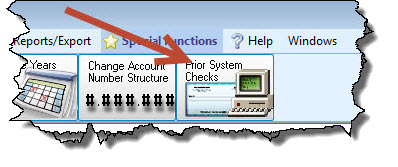
Click Special Functions in the Button Bar at the top of the screen and choose Prior System Checks:
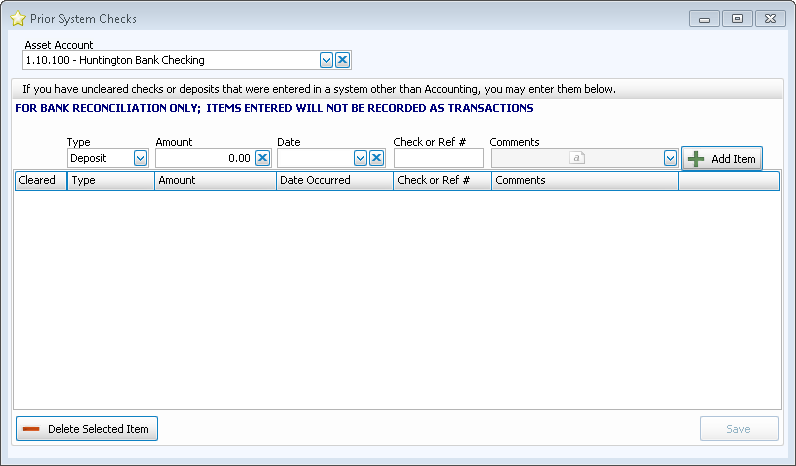
- Click the dropdown and select the desired Asset Account.
- Enter the Type (Withdrawal or Deposit), Amount, Date, Check or Ref #, and any Comments in the respective boxes.
- Then click the + Add Item button.
- The item will appear in the list below without a
 checkmark in the Cleared box.
 - Once you perform a Bank Reconciliation and mark the item as cleared, a checkmark will appear in the Cleared box.
- When you have finished, click Save.
